• About
    • Cut N Make Crafts Privacy & Disclosure Policy
    • Disclaimer
  • JOIN THE SVG SUPERSTAR WAIT LIST

Jav Sid

SVG Business Coach

  • Home
  • SVG Business Podcast
    • Ep: 1 Why Sell SVG Cut Files
    • Ep 2: From a full-time nurse to an SVG designer – Farren Celeste
    • Ep 3: 400+ Sales in 4 months – Find out the secret to Emma’s success
    • Ep 4: No. 1 Thing You Need to Succeed in SVG Business
  • Designing SVGs
    • 3 COSTLY SVG Mistakes to Avoid – Cricut Crafts
    • 5 Epic Reasons to Create Your Own SVGs
  • Free SVG Files
  • Cricut
    • FREE Beginner’s Cricut Course
    • Cricut Tips
      • Vinyl Tips
        • MUST-HAVE The Ultimate Life-Saver Vinyl Guide for Beginners
        • Different Types of Vinyl and How to Use Them
        • How to use heat transfer vinyl for Cricut
        • How to Keep Iron-on Transfers from Peeling
        • 5 Terrible Iron-on/HTV Mistakes to Avoid – Tips for Iron-on Transfers
        • How to Layer Vinyl in Cricut Design Space
        • 9 UNIQUE Heat Transfer Vinyl Projects to Try
      • Cricut Design Space Help
      • 9 Must-Have Everyday Objects for Cricut Owners
      • Convert Picture to SVG – 3 Quick and Easy Methods
      • Cricut Print and Cut Basics for Beginners + FAQs
      • A Complete Guide to Cricut Blades for Beginners
      • 30+ Cricut Tips for Beginners for the Best Cut
      • Ultimate Beginner’s Guide to Cricut Tools
      • Ultimate Guide to Cricut Mats for Beginners
      • Lesson 1: Cricut Introduction and Set-Up
      • A Beginner’s Guide to Design Space
    • Cricut Crafts for Beginners
      • Birthday Crafts
        • DIY Hand-lettered Cake Topper (Cricut)
      • Cricut Flowers
        • EASY Giant Paper Gerbera Daisy Template FREE SVG
        • DIY Rose Paper Flower Bouquet – FREE SVG for Cricut
        • EASY Crepe Paper Sunflower FREE SVG+TEMPLATE
      • Cricut Felt Projects
        • Cute Felt Frog Craft [Template+SVG Free]
        • Cute DIY Felt Pencil Toppers [FREE SVG]
        • Cute DIY Felt Cloud Wall Hanging [FREE SVG]
      • Cricut Kids Crafts
        • Paper Popsicle Craft [FREE SVG + PDF]
        • Super-Cute Turtle Paper Craft for Kids [FREE SVG+PDF]
        • Paper Plate Fox Cricut Craft for Kids [FREE SVG]
        • Must-Have Supplies for Cricut Beginners
        • How to Write with Cricut: Ultimate Guide
        • FREE Graduation Card SVG File + Intricate Cut Tips + Tutorial
      • Cricut Vinyl Projects
        • 4th of July Mason Jars with Patriotic SVG (FREE)
        • DIY Vinyl Mug Cricut Gift for Teachers
        • How to Make a Custom Tea Towel with Cricut
        • Cricut Mason Jar Labels DIY – FREE SVG
        • DIY Car Ornament-Cricut Maker Wood Project
        • How to Layer Vinyl in Cricut Design Space
      • Fall Crafts
      • Graduation Crafts
      • Home Decor
        • DIY Welcome Tile with Cricut [FREE SVG]
      • Mother’s Day Crafts
        • Free Mother’s Day SVG – Gift Box Tutorial
      • Unicorn Crafts
        • DIY Unicorn Bookmark Using Cricut
        • DIY Unicorn Hair Clips – FREE SVG
        • DIY Unicorn Paper Clips – Beginner Cricut Project
        • How to Make a Unicorn Birthday Banner – FREE SVG
      • Wedding Crafts
        • FREE Wedding Card SVG File + Tutorial
        • Wedding Themed Lantern FREE SVG
  • Cookie Policy (EU)

Lesson 1: Cricut Introduction and Set-Up

July 14, 2019 by Jav

In this post, I’ll introduce you to your brand new Cricut machine and you’ll learn how to set up your machine so you can start crafting right away!

Table of Contents

  • Beginner’s Cricut Course
  • A special message for Cricut crafters
  • Video 1: Cricut Unboxing and Introduction
  • Video 2: More Details on Cricut Explore
  • Video 3: More Details on the Explore Smart Dial
  • Video 4: How to Change the Cricut Blades and Accessories
  • Video 5: Phone/iPad Installation and Set-up for Cricut
  • Video 6: PC Installation and Set-up for Cricut
  • The End
  • Got Questions?
  • What’s next?

Beginner’s Cricut Course

This post is part of the Beginner’s Cricut Course where you can learn everything you need to know to get started with crafting with your Cricut. To sign up for the course, click here.

A special message for Cricut crafters

Watch this video for a very special message from me just for you.

Video 1: Cricut Unboxing and Introduction

Video 2: More Details on Cricut Explore

Video 3: More Details on the Explore Smart Dial

https://youtu.be/WhugZonAzQk

Video 4: How to Change the Cricut Blades and Accessories

Learn how to change the Cricut blades and accessories

Video 5: Phone/iPad Installation and Set-up for Cricut

https://youtu.be/ILBl9bE3vqc

Video 6: PC Installation and Set-up for Cricut

https://youtu.be/2WlSDoxExQQ

The End

With this, we have reached the end of the post where I shared with you all the basics about Cricut. In the first video, I gave you a complete introduction of the machine (Cricut Maker and Explore Air). In the next video, you learned some more details about Cricut Explore. In the third video, I showed you how to change your blades and accessories and in the last two videos, you learned the steps on setting up your machine and installing the Design Space software. By now, you should have all the understanding of your machine and should have successfully installed the Design Space software on your computer/iPad/phone.

Got Questions?

If you’re still lost or confused about anything covered in this lesson, feel free to post your query in our Facebook group here for answers.

What’s next?

Next, it’s time for lesson 2 where I will share everything you need to know about the Cricut mats, tools, and blades. I’ll be sending this lesson to your inbox tomorrow so stay tuned! xx
Related Posts:

  • Convert Picture to SVG - 3 Quick and Easy Methods
    Convert Picture to SVG - 3 Quick and Easy Methods
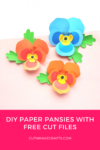
  • EASY and Free Paper Pansy Template + SVG
    EASY and Free Paper Pansy Template + SVG
  • Cyber Monday Cricut and Craft Deals
    Cyber Monday Cricut and Craft Deals
  • Cricut Print and Cut Basics for Beginners + FAQs
    Cricut Print and Cut Basics for Beginners + FAQs

Filed Under: Cricut Tips Tagged With: Cricut tips for beginners

Previous Post: « A Beginner’s Guide to Design Space
Next Post: Hottest Amazon Prime Day Deals 2020 »

Primary Sidebar

Recent Posts

  • Get Free SVGs – Creative Fabrica
  • Mother’s Day Sublimation Designs for T-shirts
  • DIY Penguin Mug Holiday Decor
  • EASY Holiday Cake Topper Tutorial
  • Super Easy Felt Unicorn Ornament SVG + Tutorial

Amazon Affiliates Disclosure

Cut n Make Crafts is a participant in the Amazon Services LLC Associates Program, an affiliate advertising program designed to provide a means for sites to earn advertising fees by advertising and linking to Amazon.com.

Footer

cutnmakecrafts

Jav - SVG Business Coach
🔥40+ Cricut Gifts & Business workshops for $39 🔥40+ Cricut Gifts & Business workshops for $39 for a limited time!

Learn to make projects like

🌟𝐃𝐈𝐘 𝐇𝐨𝐥𝐢𝐝𝐚𝐲 𝐒𝐡𝐚𝐤𝐞𝐫 𝐏𝐡𝐨𝐭𝐨 𝐅𝐫𝐚𝐦𝐞

🔥𝐏𝐞𝐫𝐬𝐨𝐧𝐚𝐥𝐢𝐳𝐞𝐝 𝐖𝐨𝐨𝐝𝐞𝐧 𝐎𝐫𝐧𝐚𝐦𝐞𝐧𝐭𝐬

🌟𝐏𝐞𝐫𝐬𝐨𝐧𝐚𝐥𝐢𝐳𝐞𝐝 𝐖𝐨𝐨𝐝𝐞𝐧 𝐁𝐨𝐨𝐤𝐦𝐚𝐫𝐤𝐬 𝐟𝐨𝐫 𝐬𝐭𝐮𝐝𝐞𝐧𝐭𝐬

🔥𝐂𝐮𝐬𝐭𝐨𝐦 𝐩𝐚𝐩𝐞𝐫 𝐬𝐭𝐨𝐜𝐤𝐢𝐧𝐠 𝐠𝐢𝐟𝐭 𝐛𝐚𝐠𝐬 (𝐩𝐞𝐫𝐟𝐞𝐜𝐭 𝐟𝐨𝐫 𝐜𝐚𝐧𝐝𝐢𝐞𝐬)

🌟𝐒𝐡𝐚𝐤𝐞𝐫 𝐜𝐚𝐫𝐝 𝐟𝐨𝐫 𝐡𝐨𝐥𝐢𝐝𝐚𝐲𝐬

🔥𝐃𝐈𝐘 𝐏𝐫𝐢𝐧𝐠𝐥𝐞𝐬 𝐠𝐢𝐟𝐭 𝐛𝐨𝐱 𝐟𝐨𝐫 𝐡𝐨𝐥𝐢𝐝𝐚𝐲

All these and MORE (40+ total) available for just $39 for a limited time. 💎💎💎 𝐆𝐞𝐭 𝐢𝐭 𝐧𝐨𝐰 𝐯𝐢𝐚 𝐭𝐡𝐢𝐬 𝐥𝐢𝐧𝐤 https://craftysummits.com/gbc-bf/ 𝐨𝐫 𝐭𝐡𝐞 𝐥𝐢𝐧𝐤 𝐢𝐧 𝐛𝐢𝐨! 

Make gorgeous personalized gifts and MONEY with your Cricut this holiday season with the Gifts & Business w/Cricut Pass 💎💎💎�𝐞𝐭 𝐢𝐭 𝐧𝐨𝐰 𝐯𝐢𝐚 𝐭𝐡𝐢𝐬 𝐥𝐢𝐧𝐤 https://craftysummits.com/gbc-bf/ 𝐨𝐫 𝐭𝐡𝐞 𝐥𝐢𝐧𝐤 𝐢𝐧 𝐛𝐢𝐨!
🌟$𝟭𝟱𝟬𝟬 𝗳𝗿𝗼𝗺 𝗢𝗡𝗘 𝗦𝗩𝗚 𝗯𝘂𝗻𝗱𝗹𝗲 𝗶𝗻 𝗢𝗡𝗘 𝗱𝗮𝘆!

🔥𝟲𝟬𝟬+ 𝘀𝗮𝗹𝗲𝘀 𝗮𝗻𝗱 𝟯 𝗦𝗩𝗚 𝘀𝘁𝗼𝗿𝗲𝘀 𝗶𝗻 𝟭𝟬 𝗺𝗼𝗻𝘁𝗵𝘀.

🌟𝟭𝟴 𝘀𝗮𝗹𝗲𝘀 𝘄𝗶𝘁𝗵𝗶𝗻 𝟭𝟰 𝗱𝗮𝘆𝘀 𝗼𝗳 𝗹𝗮𝘂𝗻𝗰𝗵𝗶𝗻𝗴 𝗮 𝗻𝗲𝘄 𝗦𝗩𝗚 𝘀𝘁𝗼𝗿𝗲.

🔥𝗙𝗿𝗼𝗻𝘁 𝗽𝗮𝗴𝗲 𝗳𝗲𝗮𝘁𝘂𝗿𝗲 𝗼𝗻 𝗮 𝗕𝗜𝗚 𝗦𝗩𝗚 𝘄𝗲𝗯𝘀𝗶𝘁𝗲 𝘄𝗶𝘁𝗵𝗶𝗻 𝟭 𝗺𝗼𝗻𝘁𝗵 𝗼𝗳 𝗼𝗽𝗲𝗻𝗶𝗻𝗴 𝗮 𝗻𝗲𝘄 𝗦𝗩𝗚 𝘀𝘁𝗼𝗿𝗲.

These are REAL results my students have seen when working with me inside my coaching program SVG Superstar.

🎉You CAN make $$$ from SVGs.

✅You just need to create money-making SVG cut files that people want to buy.

🔥Learn to design & sell SVGs that crafters really want to buy inside my program SVG Superstar.

💎Enroll now for $200 (x10).

🎁𝐃𝐌 𝐒𝐕𝐆𝐒 𝐟𝐨𝐫 𝐝𝐞𝐭𝐚𝐢𝐥𝐬.

#cricutcrafts #svgs #cricutsvgs #svgdesigner #svgcutfiles #designsvgs
🔥FREE 3-day event just for Cricut card makers 🔥FREE 3-day event just for Cricut card makers

Learn to make 30+ holiday cards and get FREE SVGs including this one.

Get your free ticket here: https://cricutcardsummit.com/?affiliate=javsid
🌟$𝟭𝟱𝟬𝟬 𝗳𝗿𝗼𝗺 𝗢𝗡𝗘 𝗦𝗩𝗚 𝗯𝘂𝗻𝗱𝗹𝗲 𝗶𝗻 𝗢𝗡𝗘 𝗱𝗮𝘆!

🔥𝟲𝟬𝟬+ 𝘀𝗮𝗹𝗲𝘀 𝗮𝗻𝗱 𝟯 𝗦𝗩𝗚 𝘀𝘁𝗼𝗿𝗲𝘀 𝗶𝗻 𝟭𝟬 𝗺𝗼𝗻𝘁𝗵𝘀.

🌟𝟭𝟴 𝘀𝗮𝗹𝗲𝘀 𝘄𝗶𝘁𝗵𝗶𝗻 𝟭𝟰 𝗱𝗮𝘆𝘀 𝗼𝗳 𝗹𝗮𝘂𝗻𝗰𝗵𝗶𝗻𝗴 𝗮 𝗻𝗲𝘄 𝗦𝗩𝗚 𝘀𝘁𝗼𝗿𝗲.

🔥𝗙𝗿𝗼𝗻𝘁 𝗽𝗮𝗴𝗲 𝗳𝗲𝗮𝘁𝘂𝗿𝗲 𝗼𝗻 𝗮 𝗕𝗜𝗚 𝗦𝗩𝗚 𝘄𝗲𝗯𝘀𝗶𝘁𝗲 𝘄𝗶𝘁𝗵𝗶𝗻 𝟭 𝗺𝗼𝗻𝘁𝗵 𝗼𝗳 𝗼𝗽𝗲𝗻𝗶𝗻𝗴 𝗮 𝗻𝗲𝘄 𝗦𝗩𝗚 𝘀𝘁𝗼𝗿𝗲.

These are REAL results my students have seen when working with me inside my coaching program SVG Superstar.

🎉You CAN make $$$ from SVGs.

✅You just need to create money-making SVG cut files that people want to buy.

🔥Learn to design & sell SVGs that crafters really want to buy inside my program SVG Superstar.

💎Enroll now for $200 (x10).

🎁𝐃𝐌 𝐒𝐕𝐆𝐒 𝐟𝐨𝐫 𝐝𝐞𝐭𝐚𝐢𝐥𝐬.

#cricutcrafts #svgs #cricutsvgs #svgdesigner #svgcutfiles #designsvgs
Load More... Follow on Instagram

Hi, friend! I’m Jav, a research assistant/SVG design coach. I’m here to help you design and sell SVG cut files. Check out my SVG Business Podcast if you want to start your own SVG business!


Cut N Make Crafts Privacy Policy

ARCHIVES

Copyright © 2026 · Sprinkle Pro theme by Restored 316